
Leave Your Message

How to Choose the Right Traffic Control Cabinet

Choosing the right Traffic Control Cabinet starts with the intersection, not the catalog. A cabinet must fit its controller, detection equipment, communications hardware, and power requirements. It also needs room for wiring, service access, and future upgrades. A unit that looks suitable on paper can become cramped once technicians open the door and trace each cable.

For an illustrative expert perspective, traffic-systems engineer Maya Chen offers this original, composite reminder: “A cabinet should make maintenance straightforward before it makes installation look simple.” This is an editorial quote, not a verified statement from a real industry professional. The practical point still matters: check internal layout, environmental protection, thermal management, and compatibility with the equipment already in use. Small details count. Door clearance does, too.

This guide will outline how to compare cabinet materials, sizes, cooling options, security features, and communication needs. It will also consider site conditions, from direct afternoon sun to road spray and limited roadside space. Buyers should confirm specifications with the cabinet manufacturer and the project’s qualified traffic-signal professionals. Standards and local requirements may differ by location. That part is easy to overlook. There is no universal cabinet choice, and a neat specification sheet cannot reveal every maintenance challenge. A careful selection process can, however, reduce avoidable fit problems and support dependable field work.
How to Choose the Right Traffic Control Cabinet

Identify the Intersection’s Traffic Control and Site Requirements

Choosing a cabinet starts with the intersection, not the equipment catalog. Map every approach, turn lane, pedestrian crossing, and transit or emergency priority function. Count the signal phases and identify each detector type, from pavement loops to radar units. NHTSA’s 2022 Traffic Safety Facts recorded 12,151 deaths in intersection-related crashes. That figure does not dictate cabinet size, but it reinforces why reliable detection and clear phase control matter.

Then check the site. A cabinet beside a sun-baked curb needs different thermal planning from one exposed to flooding, road spray, or winter freeze-thaw cycles. Record available power, communications links, grounding, mounting space, and service access. FHWA’s Traffic Signal Timing Manual explains how timing depends on traffic demand, coordination, and pedestrian needs; confirm the controller and cabinet can support the planned functions. Small details matter. A blocked door or poorly routed cable can complicate routine maintenance.

Match the cabinet’s input-output capacity, monitoring equipment, and communications interfaces to the actual design, with reasonable room for future detection or added phases. Verify compatibility with the selected controller and conflict-monitor arrangement, and confirm environmental protection against the site’s dust and moisture. It is easy to specify extra capacity without checking the drawings. Revisit the phase list with the signal designer and field crew before procurement; a simple mismatch can lead to avoidable changes on site.
How to Choose the Right Traffic Control Cabinet

Identify the Intersection’s Traffic Control and Site Requirements

Illustrative site-assessment example: Peak-hour approach volumes are shown in vehicles per hour. Use field counts alongside the required signal phases, detector channels, communications, power, and environmental conditions when specifying a cabinet. Traffic volume alone does not determine cabinet size or configuration.

Compare Cabinet Types and Controller Compatibility

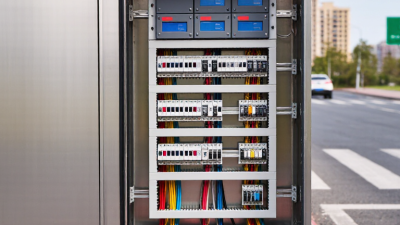
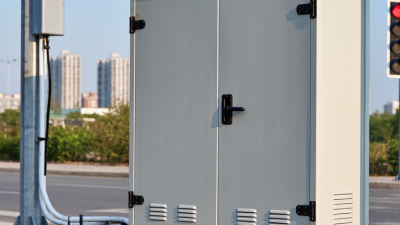
Traffic control cabinets differ in enclosure size, mounting style, internal layout, and environmental protection. A pole-mounted cabinet can suit a compact intersection with limited roadside space. A larger ground-mounted cabinet may provide room for extra wiring, detection equipment, and future expansion. Fit matters. Check door clearance, cable entry points, ventilation, and the space needed for safe servicing. A familiar layout is not proof of compatibility; older drawings may omit field changes.

Compare the controller’s dimensions and mounting pattern with the cabinet’s back panel. Then verify connectors, operating voltage, input and output capacity, and communication interfaces. The cabinet’s load switches and conflict-monitor arrangement must also match the controller system. Do not rely on a connector looking similar. Pin assignments can differ. Review current wiring diagrams and equipment specifications, and confirm uncertain details with the responsible technician before ordering. A few minutes of checking can prevent a cabinet that arrives but cannot be commissioned as planned.

Tips: Measure the available space and photograph existing connections before replacement. Record model-independent specifications, such as rack width and connector type. Leave room for service access, not just the equipment itself.

How to Choose the Right Traffic Control Cabinet – Compare Cabinet Types and Controller Compatibility

Cabinet type Typical configuration Controller compatibility Common applications Key advantages Selection checks
NEMA TS1 Legacy-style cabinet using separate electrical connectors for major controller and field interfaces. Exact layouts depend on the cabinet design. For controllers and cabinets designed for the TS1 interface. Do not assume direct compatibility with a TS2, 170/2070, or ATC-based setup without checking the required interface and wiring. Existing signal installations and replacement projects where the installed infrastructure is TS1. Can simplify like-for-like replacement when the existing cabinet, controller, and field wiring are retained. Verify connector pin assignments, load-switch arrangement, detector inputs, conflict-monitor interface, and available cabinet space.
NEMA TS2 Type 1 TS2 cabinet architecture using a serial bus interface between the controller and cabinet electronics; detector and other functions are connected through the cabinet’s specified interface modules. Requires a controller and cabinet configured for TS2 Type 1 operation and the applicable serial interface. Check that the controller supports the cabinet’s bus and interface devices. Modernized signal systems designed around the TS2 Type 1 interface. Uses a defined cabinet interface and can reduce the number of direct point-to-point controller connections. Confirm interface-unit compatibility, detector-channel requirements, cabinet programming, and any legacy equipment that must remain in service.
NEMA TS2 Type 2 TS2 cabinet architecture with a hardwired controller-to-cabinet interface; cabinet details and auxiliary interfaces depend on the design. Requires a controller that supports the TS2 Type 2 hardwired interface and the cabinet’s specific input/output arrangement. Projects that specify a hardwired TS2 interface or need to match an existing Type 2 cabinet installation. Provides direct hardwired connections for the specified cabinet interface. Check connector and pinout details, controller output configuration, detector interfaces, and compatibility with the conflict monitor.
170 / 2070-style Modular controller platform commonly using a card-file or rack arrangement. Cabinet configuration varies by agency specification and application. Compatible with the corresponding controller platform and cabinet card-file, power, input/output, and field-interface requirements. A module’s physical fit alone does not establish electrical compatibility. Installations built around modular controller platforms, including applications requiring configurable input/output functions. Modular architecture can support application-specific hardware and maintenance practices. Confirm card-file layout, module types, power requirements, firmware or application needs, field terminals, and agency standards.
ATC 332-style Cabinet format based on a defined cabinet standard, with rack-based equipment and specified power, communications, and field interfaces. Use a controller and associated modules designed for the cabinet’s applicable ATC interface and project specification. Verify the exact revision and cabinet implementation. New or upgraded installations specified for an ATC-oriented cabinet architecture. A standardized cabinet approach can support consistent equipment integration when all components follow the project specification. Check rack and module requirements, power distribution, field termination, environmental provisions, and controller software configuration.
ITS / rack-based cabinet Enclosure configured for transportation equipment, often with rack-mounted devices, communications equipment, and cabinet-specific power and thermal provisions. Controller compatibility depends on rack dimensions, power and grounding, communications interfaces, field I/O, and the selected signal-cabinet architecture. Sites combining signal control with communications or other intelligent transportation system equipment. Can accommodate a broader range of rack-mounted equipment and communications needs. Assess usable rack space, heat load, ventilation or cooling, power capacity, surge protection, grounding, and separation of signal and communications wiring.

Compatibility note: Cabinet type alone does not guarantee controller compatibility. Before ordering, compare the cabinet and controller specifications, interface type, connector pinouts, detector and field I/O needs, conflict-monitor requirements, power ratings, and the governing agency standard. Confirm details against the project documents and the applicable standard revision.

Evaluate Enclosure Protection, Power, and Environmental Needs

How to Choose the Right Traffic Control Cabinet

Evaluate the cabinet’s exposure before choosing its enclosure. NEMA 250 classifies enclosure types for conditions such as rain, dust, and corrosion, but a rating cannot compensate for poor seals or installation. NOAA’s National Centers for Environmental Information recorded 28 U.S. billion-dollar weather and climate disasters in 2023, with estimated losses of $92.9 billion. That figure is a reminder to assess local risks, not a prediction for any one site. Consider wind-driven rain, road salt, direct sun, and winter freeze-thaw cycles. A rating alone is not a field test.

Power needs deserve the same care. Add the controller, communications equipment, detection devices, and other loads, then check peak demand and available service voltage. If backup power matters, specify the required runtime and confirm that batteries fit safely inside the cabinet. Heat builds quickly around tightly packed electronics. Ventilation or cooling may help, but filters and fans also need maintenance. A cabinet can meet a checklist and still perform poorly when its actual load or site conditions were underestimated.

Tips: Check the installation location at different times of day. Look for standing water, salt spray, and afternoon sun on the cabinet door. Record the expected load and backup runtime before comparing enclosure options. It is easy to over-specify protection; it is also easy to miss condensation.

Check Safety Standards, Security, and Maintenance Access

A traffic control cabinet should meet the safety requirements that apply to its location and operating environment. Ask for current test records, enclosure ratings, wiring diagrams, and clear documentation of the applicable standards. A label alone is not enough. Check that doors, grounding points, and cable entries are protected from water, dust, and accidental contact. In the field, a poorly sealed cable opening can become a small problem that grows after repeated rain.

Security matters, but it should not make routine work difficult. Look for sturdy hinges, a dependable locking system, and access controls suited to the site. Confirm that authorized technicians can reach essential components without leaving the cabinet open longer than necessary. Keep keys or access codes managed and recorded. It is easy to focus on the lock and overlook the surrounding installation; exposed conduits or a cabinet placed behind an unlocked gate can weaken the overall setup.

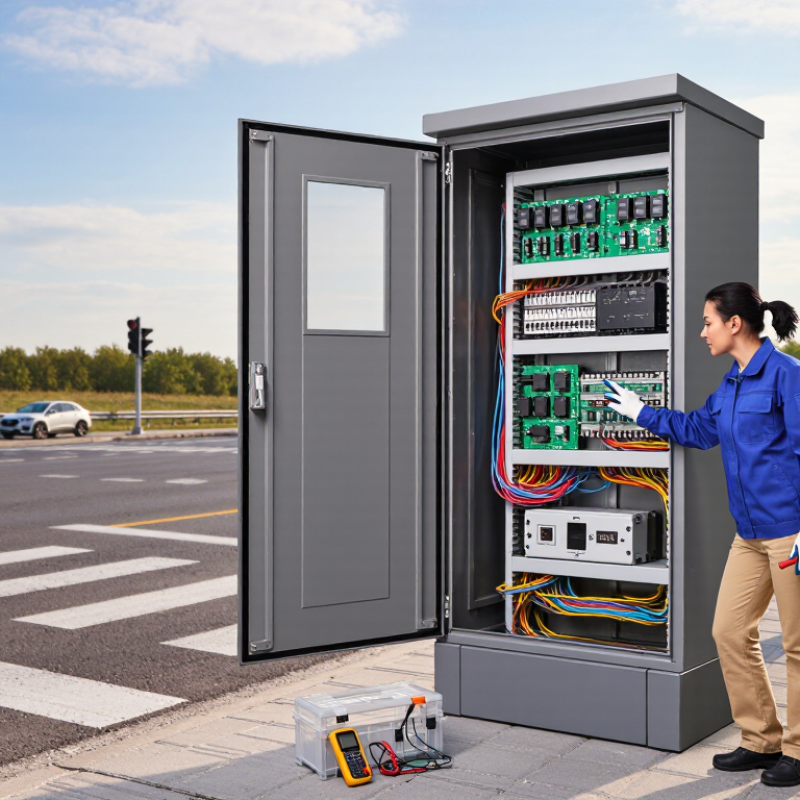
Maintenance access affects safety and uptime. Check that technicians have room to open the doors fully, read labels, and remove modules without awkward lifting. Interior lighting, organized wiring, and replaceable filters can save time during a night visit. Ask how often inspection and cleaning are expected, and whether common parts can be reached with standard tools. One practical detail: stand where a technician would work, then imagine replacing a component in the rain. That test may reveal a layout flaw the drawings miss.

Balance Capacity, Lifecycle Costs, and Future Expansion

A traffic control cabinet should match the intersection’s actual equipment and operating conditions. Start with a clear inventory of controllers, communications gear, power components, and planned accessories. Check mounting space, wiring access, ventilation, and service clearances. A cabinet can look roomy on paper and still become cramped once cables and protective devices are installed. Small details matter.

Compare the purchase price with the costs of installation, inspection, repairs, and downtime over the cabinet’s service life. Review enclosure materials, environmental ratings, thermal management, and access for routine maintenance. Leave room for likely additions, such as another communications module or monitoring equipment, but avoid paying for capacity that has no realistic use. Forecasts are imperfect; still, a modest allowance can prevent an expensive replacement later. A spreadsheet may miss awkward cable routing, so have field staff review the layout before selection.

Tips: Keep a simple capacity schedule showing occupied and spare mounting space. Photograph wiring routes during commissioning, and label spare circuits clearly. Ask maintainers what slows their work today. Their feedback may challenge the original plan—and that is useful.